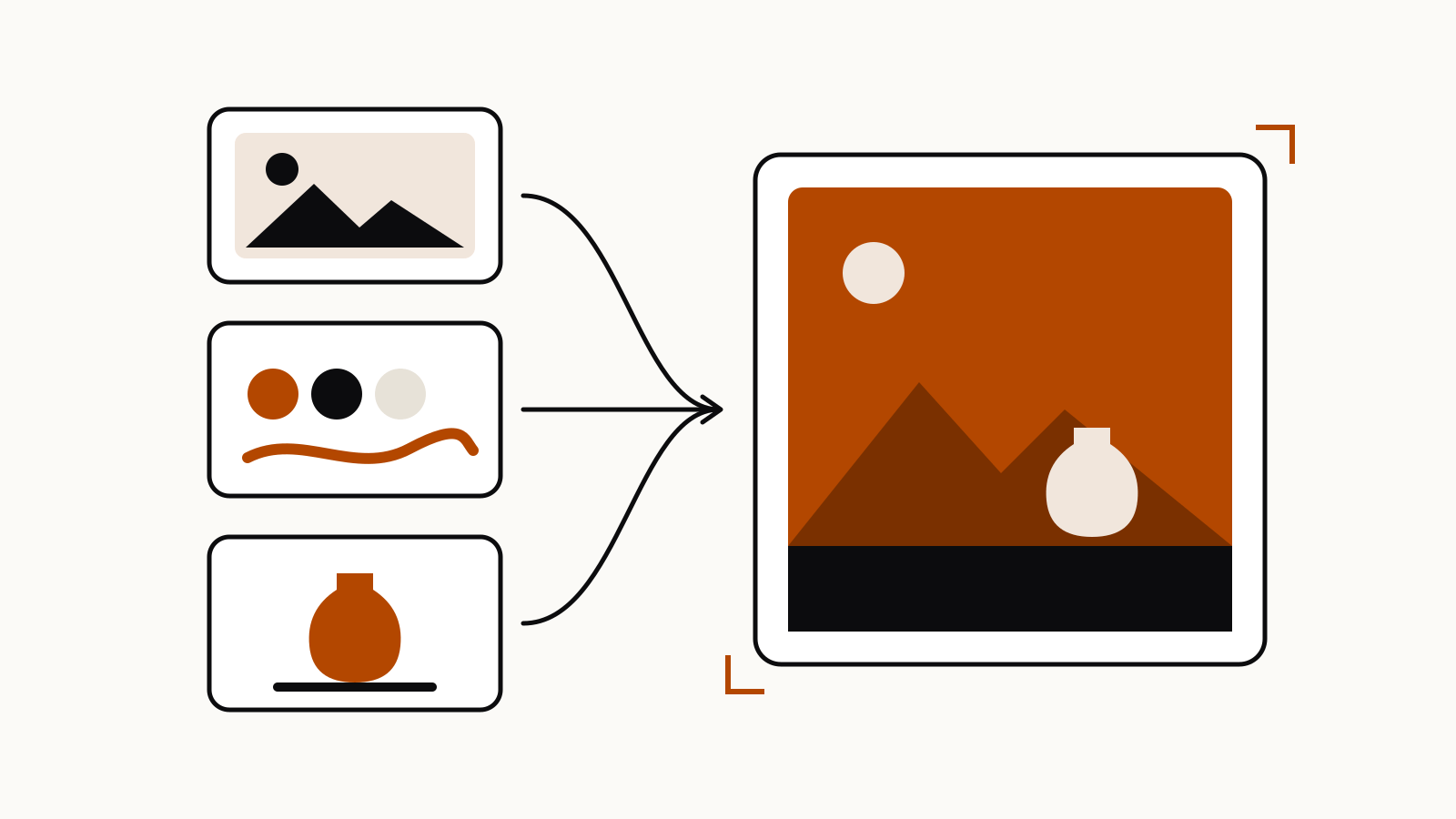
In Midjourney, an image prompt borrows the content, composition and colors of your picture, a style reference borrows only its look (colors, medium, textures, lighting), and in V8 the Edit model places subjects from up to four reference images into a new result. Omni Reference does that subject job only in V7.
Midjourney lets you attach your own pictures in several ways, and each one tells the model to take something different from them. This guide follows Midjourney’s own documentation to explain which slot to use, the parameter that controls each, and what changed in V8, where the Edit model replaced Omni Reference.
On this page
The short comparison
| Image prompt | Style reference | Omni Reference (V7) | Edit model reference (V8.1, V8.2) | |
|---|---|---|---|---|
| What it takes from your image | Content, composition and colors | Colors, medium, textures, lighting; not objects or people | A character, object, vehicle or creature | Subjects to place, combine or change |
| Images allowed | One or more | One or more, or a style code | One | Up to four |
| Weight parameter | --iw | --sw (0–1000, default 100) | --ow (1–1000, default 100) | none listed; --raw for tighter control |
| Discord syntax | Image URL at the start of the prompt | --sref + URL or code | --oref + URL | --edit + URL |
| Needs a text prompt | Yes, unless you use two or more images | Yes | Yes | Yes |
Sources: Midjourney’s Image Prompts, Style Reference, Omni Reference and Edit Model pages.
Image prompts: start from a picture
Midjourney’s Image Prompts page says an image prompt lets the model look at “your image’s core elements” and use them “as a source of inspiration”. It influences content, composition and colors at once. The docs list three ways to use it:
- One image plus text. Your text “should include everything you want in the final image, rather than instructions for changing the reference image.”
- Two or more images, no text. Midjourney blends them, like the Blend command in Discord.
- Several images plus text, with the text covering details the pictures do not show.
On midjourney.com, click the image icon in the Imagine bar and drop the picture into the Image Prompt section. In Discord, paste the image URL at the beginning of the prompt.
Image weight. --iw sets how much the picture counts against your words. Midjourney’s table gives a default of 1 and a range of 0 to 3 for Version 8.1 and Version 7, and 0 to 2 for Niji 7. A higher value means the image has “a bigger impact on the finished image”.
Two limits from the same page: prompts made only of images “are not compatible with the --stylize or --weird parameters”, and Midjourney recommends cropping the image to the aspect ratio you plan to generate.
Style references: copy the look, not the subject
A Style Reference captures “the visual vibe of an existing image”. Midjourney is explicit that it “doesn’t copy objects or people, just the overall style—like colors, medium, textures, or lighting”. It works with version 6 and later and always needs a text prompt.
On the website, drag the image into the Style Reference section. In Discord, end the prompt with --sref and the image URL.
How to write the text. Midjourney’s advice is to describe the content, not the transfer. Its own pairs:
| Midjourney’s bad example | Midjourney’s good example |
|---|---|
the look of this image but a dog | detailed portrait of a dog |
copy this style and make a bunny | ballpoint pen sketch of a bunny |
It also suggests keeping the text simple and leaving out style words that fight the reference, adding matching style words only when the look is hard to reach.
Style weight. --sw runs from 0 to 1000, default 100. The docs note that in V7 it “has more impact when used with style codes than with images”.
Style codes. Instead of an image, --sref accepts a number from Midjourney’s style library. --sref random picks one for you and turns into a fixed code once the job runs. You can browse codes in the Styles tab of the Explore page. You cannot turn your own uploaded image into a code.
Style versions in V7. --sv switches between six style reference models; --sv 6 is the default and --sv 4 is the older V7 model from before June 16, 2025. Midjourney notes that old codes may look different now and suggests --sv 4 or V6 to bring them back.
For a ready brief that combines a style reference with packaging shots, see our product mockup prompts for Midjourney.
Omni Reference and the V8 Edit model: put a subject in
Omni Reference (--oref) is the V7 feature for placing “characters, objects, vehicles, or non-human creatures from a reference image” into a new picture. According to its help page, it takes one image, costs 2x the GPU time of a regular V7 image, and does not work with Fast Mode, Draft Mode, Conversational Mode or --q 4. --ow sets its strength from 1 to 1,000 (default 100), and Midjourney advises staying below 400 unless you use a very high stylize value.
In V8 it is replaced. Midjourney’s Version page says V8.2 became the default on July 24, 2026 and that its new Edit model “replaces Omni Reference, Character Reference, and the Retexture tool”. The Edit Model page lists three uses:
- Change an existing image with written instructions.
- Generate new images from up to four reference images.
- Inpaint and outpaint inside the Editor.
On the website you add references to the Attach to prompt section; in Discord you add --edit and the image URLs. Unlike classic Midjourney prompts, the Edit model accepts instructions: Midjourney’s examples include make this girl into a real character and make this silver knight ride the horse of fire holding the sword of flowers. It tries to match the aspect ratio of the first image unless you add --ar, and it is not compatible with --tile.
The Edit model works together with image prompts and style references, so one job can use all three. Midjourney’s own retexturing example pairs an Edit reference with a style code: hand drawn pencil sketch of this image --sref 2708276657.
Which one to use
- “Make something like this picture.” Image prompt, with a text prompt that describes the whole result. Raise
--iwif the image is ignored. - “Use this look for a new subject.” Style reference, with a plain description of the new subject. Lower
--swif the style takes over. - “Put this exact product or character in a new scene.” Edit model reference in V8.1 or V8.2; Omni Reference only if you stay on V7.
- “Change this image.” Edit model with an instruction, or the Editor for one area.
Midjourney’s guidelines for external images apply to all of these: you need the rights to the images you upload, and you must not use them to manipulate pictures of real people in abusive ways.